By EC Team · Updated September 16, 2026 · 6 min read
Fulfillment by Merchant (FBM) is an Amazon fulfillment method where sellers store inventory, process orders, and ship products directly to customers instead of using Amazon’s fulfillment network.
Compared with FBA, FBM gives sellers more control over inventory and fulfillment. It can be a good option for sellers who want more flexibility, have reliable suppliers, or want to test products without sending large quantities to Amazon warehouses.
In this guide, we will walk through the basic FBM workflow from setting up shipping settings to processing customer orders.
Step 1. Set Up Your FBM Shipping Settings
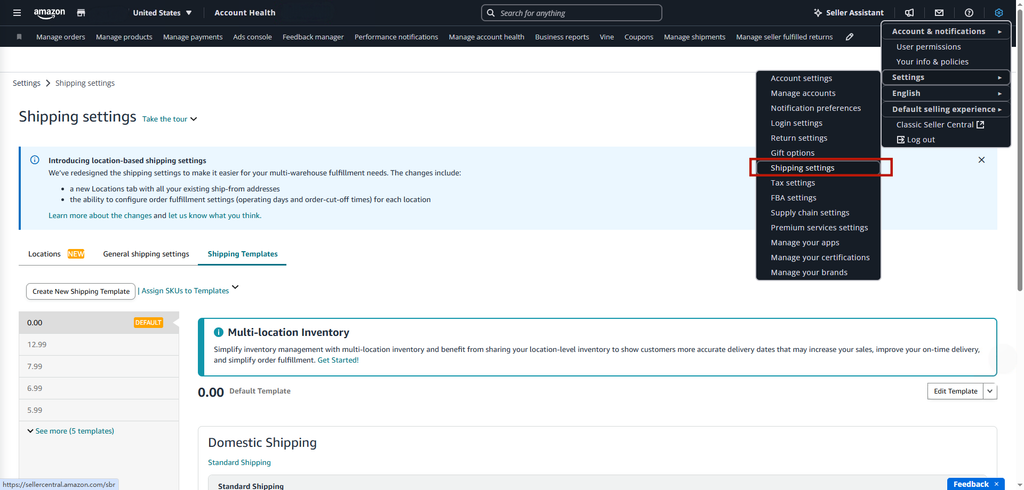
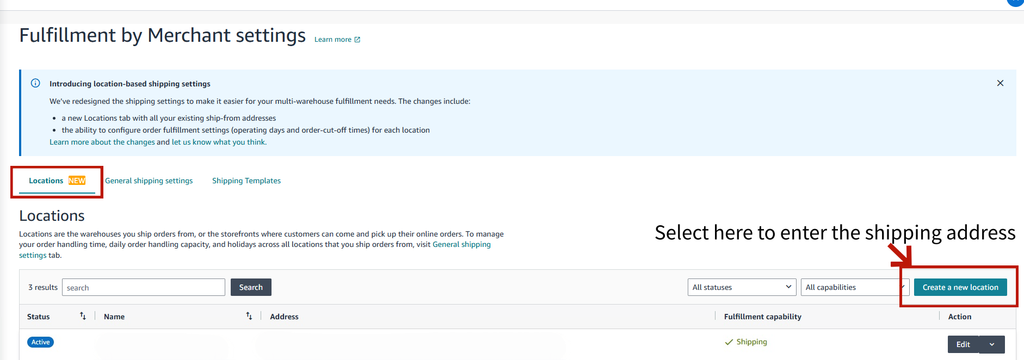
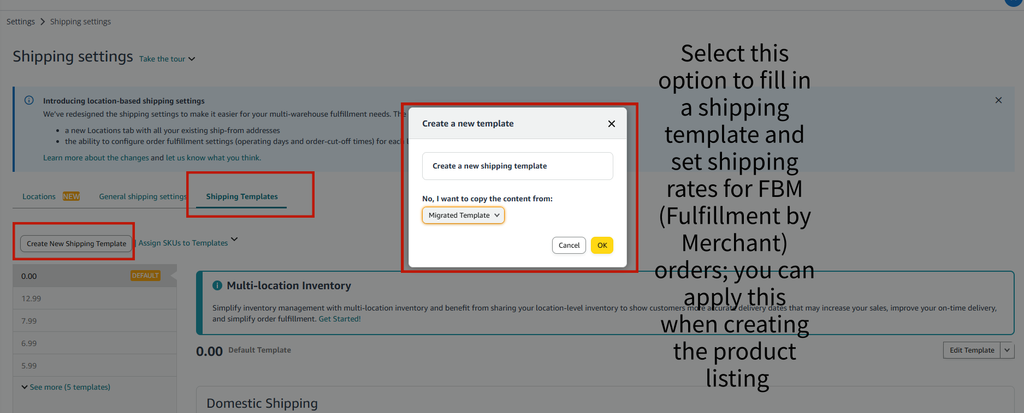
Before receiving FBM orders, you need to configure your shipping settings in Seller Central.
Go to:
Settings → Shipping Settings
Here you can manage:
- Default shipping address
- Handling time
- Transit time
- Shipping regions
- Shipping rates
- Operating days
- Order cut-off times
One of the most important settings for FBM sellers is handling time.
Handling time refers to how long you need to prepare an order before handing it to the carrier.
Setting it too long may make your delivery promise less competitive, while setting it too aggressively can create unnecessary pressure and increase the risk of late shipments.
The best approach is to set a handling time that matches your actual operation speed and that you can consistently maintain.
Step 2. Check New Orders
When a customer places an order, go to:
Orders → Manage Orders
Find the order under Unshipped Orders.
Check:
- Product information
- SKU
- Quantity
- Customer address
- Ship-by date
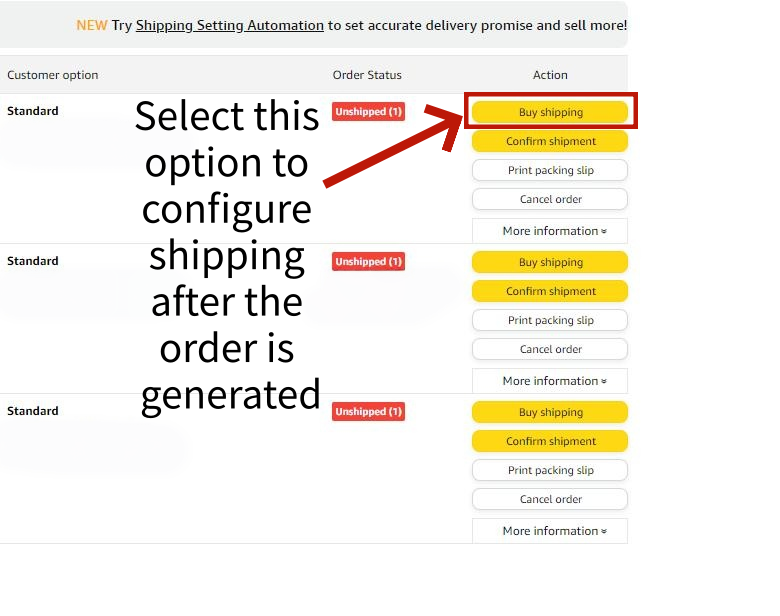
After confirming the order details, prepare the product for shipment.
Step 3. Buy and Print the Shipping Label
From the order page, select Buy Shipping.
Enter or confirm the package information, including:
- Package weight
- Package dimensions
- Shipping service
Amazon will show the available shipping options for the order.
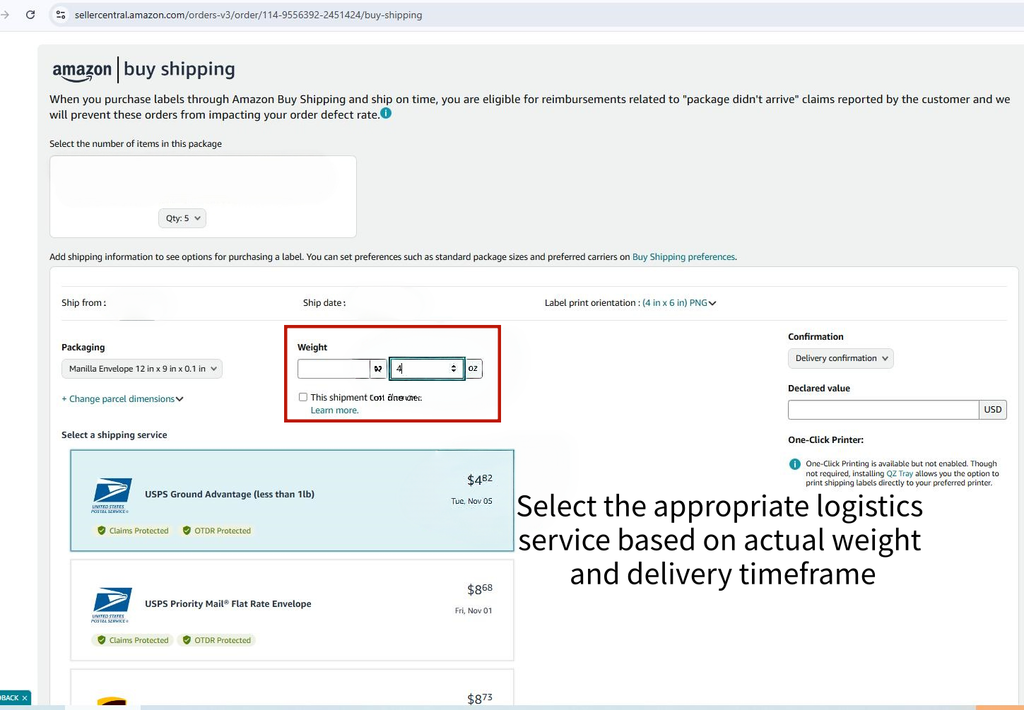
Choose the shipping service that fits your delivery requirements and purchase the label.
After purchasing it, print the shipping label.
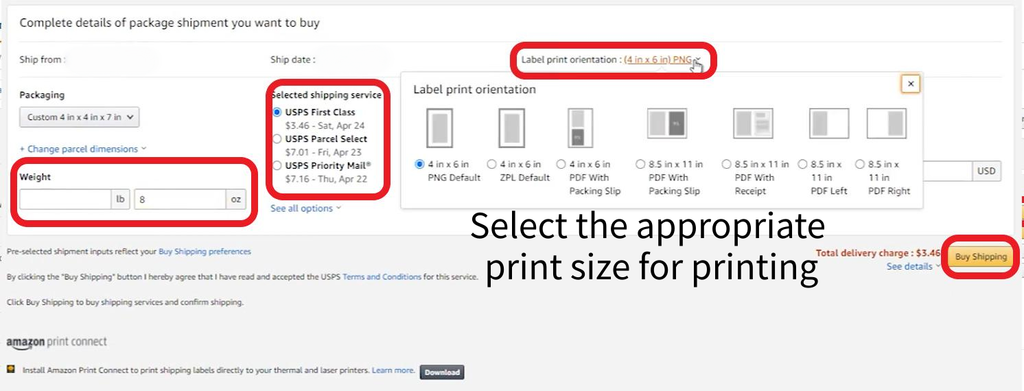
Using Amazon Buy Shipping can make the process easier because the shipping information and tracking are connected to the Amazon order.
Step 4. Ship the Package and Update Tracking
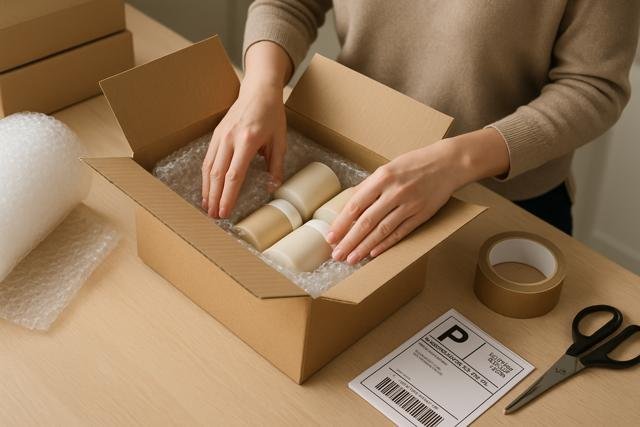
After purchasing the shipping label:
- Print the shipping label
- Attach it securely to the package
- Hand the package to the carrier
If you use Amazon Buy Shipping, shipment confirmation and tracking updates are usually handled automatically.
If you use another shipping method, you need to confirm shipment manually and enter the tracking information in Seller Central.
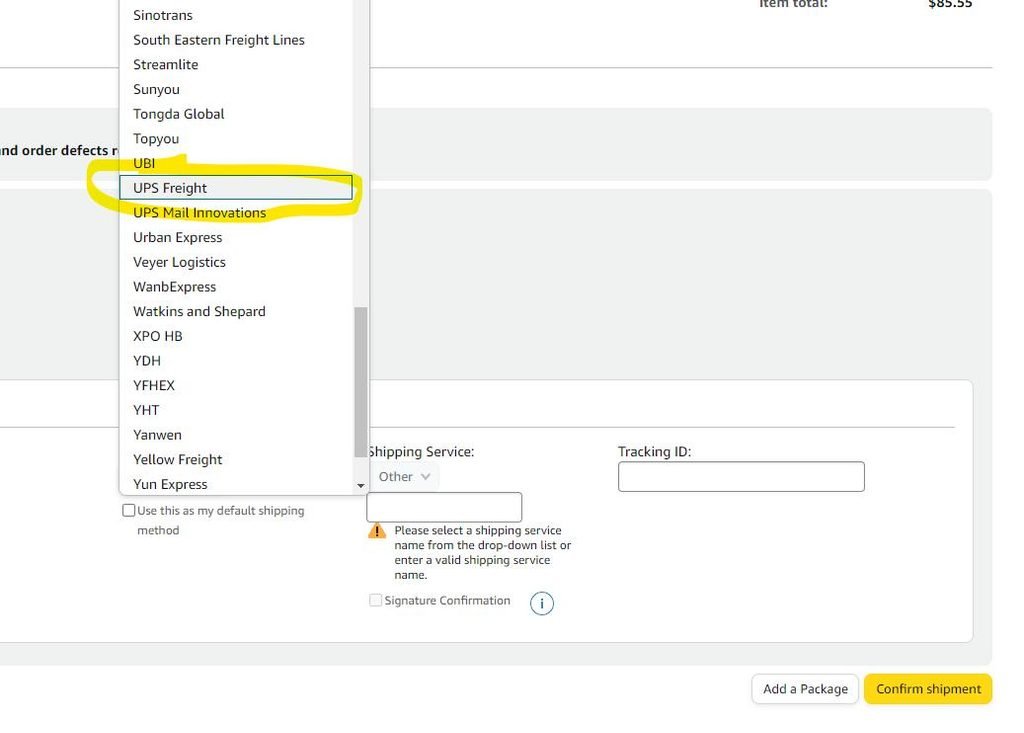
Always make sure tracking information is accurate and updated after the package has actually been shipped.
Our Experience With FBM
We also spent a long time operating FBM.
At that time, our main strategy was focusing on products that were already showing strong sales performance.
One advantage of this approach was that we didn’t need to invest too much money into inventory before understanding the product potential.
For us, the biggest advantage of FBM was the combination of profitability and flexibility.
Compared with sending large amounts of inventory into warehouses, FBM allowed us to keep more control over inventory and cash flow. At the same time, with a suitable product selection and fulfillment process, the operation could fit a more flexible working schedule.
Of course, FBM is not suitable for every seller.
If your goal is maximum scale and the fastest delivery experience, FBA may be more suitable for many products.
But if you want to start with lower inventory pressure, test products, or build a more flexible operation, FBM can also be a practical way to begin.
The most important thing is choosing the fulfillment model that matches your products, resources, and operating style.